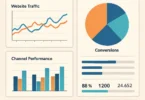
Your team drowns in spreadsheets and reports, but no one knows what to do next. Decisions drag on, and opportunities slip away. Business intelligence exercises change that. They turn messy data into clear plans that boost your work.
Business intelligence, or BI, matters more than ever. Companies that use it well cut costs by up to 20% and grow revenue faster, based on recent studies. In tight markets, staying ahead means turning data into smart moves. This guide walks you through BI exercises step by step. You’ll get tools and tips to start right away.
Understanding Business Intelligence Fundamentals
Business intelligence starts with the basics. It helps you make sense of data to guide choices. Let’s break it down.
What Is Business Intelligence?
Business intelligence means the ways and tech that companies use to study data. It pulls info from many spots to spot patterns. Key parts include storing data in warehouses, making reports, and showing it in charts.
You can begin with free tools like Google Data Studio. Load a simple dataset, then create your first view. This builds skills fast without big costs. BI grew from old reporting systems to today’s smart analytics, as reports from groups like Gartner show.
The Role of BI in Modern Businesses
BI aids choices in areas like sales and accounting. Marketers track ad success; finance teams watch cash flow. It speeds up work and spots risks early.
Check your company’s data setup with a quick list. Ask: Do we have clean data? Can teams share it easily? Rate each on a scale of 1 to 5. This self-check shows where to improve.
BI fits every department. It turns guesses into facts, so you act with confidence.
Common BI Tools and Technologies
Tools like Tableau and Power BI lead the pack. QlikView shines for quick searches. Pick based on your team size—small groups like easy ones like Power BI.
To set up a basic dashboard, start here:
- Download Power BI Desktop for free.
- Import a sample file, like sales numbers.
- Drag fields to build a chart; add filters for dates.
- Save and share the view.
These steps take under an hour. Match tools to needs: Free for startups, paid for big firms with lots of data.
Essential Business Intelligence Exercises for Beginners
Start simple to build confidence. These drills use everyday tools. They fit anyone new to BI.
Data Collection and Cleaning Exercise
Grab data from sites like Kaggle—free sets on sales or weather work great. Open it in Excel. Spot errors like missing spots or wrong numbers.
Clean it up: Use filters to find repeats. Delete them with a click. Try pivot tables to group info. Aim to finish in 30 minutes.
Why bother? Clean data leads to true insights. Practice on a small set first, then scale up. You’ll see patterns others miss.
Basic Dashboard Creation
Use free software to make a sales dashboard. Pick key numbers like total sales or top products. Add bar charts to show growth.
Steps to build one:
- Load your cleaned data into Google Data Studio.
- Choose metrics—say, revenue by month.
- Drop in visuals: Lines for trends, pies for shares.
- Test it: Click filters to drill down.
This shows quick wins. Share it with your team for feedback. Dashboards make data easy to grasp at a glance.
Simple Predictive Analysis Drill
Take past sales data and guess what’s next. Use Excel for trend lines. Plot months on one axis, numbers on the other.
Add a moving average: Sum the last three months, divide by three. This smooths bumps to forecast quarters. Check against real results to tweak it.
Forecasting builds foresight. Start with your own numbers for real stakes. It’s a fun way to predict and plan.
Advanced Business Intelligence Exercises for Teams
Once basics click, try team drills. These handle bigger challenges. They show BI in action for groups.
Scenario-Based Data Modeling
Build a model for a store case. Draw links between customers, orders, and stock. Tools like Lucidchart make ER diagrams simple.
Test “what if” questions: What happens if demand jumps 20%? Adjust the model to see inventory shifts. Teams discuss outcomes together.
This exercise sharpens planning. Use it for real projects to avoid surprises.
KPI Optimization Workshop
Pick goals like keeping customers longer. Track rates with BI tools. Set targets based on your field—aim for 80% retention in retail.
In groups:
- List five KPIs.
- Pull live data into a tool.
- Compare to benchmarks; adjust weak spots.
Real-time feeds keep it fresh. Workshops unite teams around shared aims.
Integration with Machine Learning Basics
Mix BI with simple ML, like trends in Power BI. Load e-commerce data. Run a basic regression to predict buys.
Steps:
- Import data.
- Pick features like past sales.
- Build the model; check errors.
- Refine with new runs.
Test on samples to improve guesses. This bridges BI and future tech for better forecasts.
Real-World Applications and Case Studies of BI Exercises
See BI at work in real spots. These stories prove its power. Learn from them to apply in yours.
BI in Retail: Enhancing Inventory Management
Stores like Walmart use BI to watch stock levels. They run drills on demand to cut waste. Analytics help order just right, saving millions.
Try it: Take a fake inventory file. Run scenarios to adjust for sales spikes. This mirrors their methods for your shop.
BI cuts overstock by 30%, per industry stats. Start small to see big gains.
BI in Finance: Risk Assessment Exercises
Banks like JPMorgan spot fraud with BI models. They test past deals for red flags. Simulations flag risks before they hit.
Use old financial data for your drill. Build charts for odd patterns. Tip: Anonymize info to keep it safe.
This protects money and builds trust. Teams practice to stay sharp.
BI in Healthcare: Patient Data Analysis
Places like Mayo Clinic predict patient needs with BI. They analyze trends in records for better care. Exercises spot outbreak risks early.
Work with sample health data—keep it nameless. Chart visit patterns to find trends. This aids quick responses.
BI improves outcomes by 15-20%. Apply it to save time and lives.
Best Practices and Common Pitfalls in BI Exercises
Do BI right to avoid headaches. Follow these to succeed. Learn from slips others made.
Implementing Effective Training Routines
Hold weekly sessions to review data. Pick one exercise per meet. Tailor to roles—sales gets customer drills.
Build a four-week plan:
- Week one: Clean data.
- Week two: Dashboards.
- Week three: Forecasts.
- Week four: Team models.
Regular practice sticks skills. Make it fun with real cases.
Avoiding Data Silos and Integration Issues
Silos hide info in departments. Bad data slows everything. Fix with ETL steps: Extract, transform, load.
Run an audit: Map sources like emails and files. Link them in one tool. This unites your data flow.
Clean habits prevent messes. Check weekly to stay connected.
Measuring ROI from BI Initiatives
Track changes before and after exercises. Note decision time or error drops. Use simple metrics like cost savings.
Compare: Pre-BI, reports took days; post, hours. Add up wins to show value.
This proves BI pays off. Share results to get buy-in.
Conclusion
Business intelligence exercises turn data chaos into clear paths. From basic cleanups to team forecasts, they build skills that drive results. Key points: Master fundamentals, practice hands-on, and apply to real cases for quick boosts.
Start today—pick one drill, like a simple dashboard. You’ll see smarter choices soon. Dive in, and watch your business thrive with data at its core.